Crypto Commerce
Skytech O11 Vision desktop for content creation and games
The Skytech O11 Vision desktop deserves consideration for a desk used for creative projects and gaming. Its description specifies a Ryzen 7 7700 processor, Radeon RX 9070 XT graphics with 16GB GDDR6, 32GB DDR5 memory and a 1TB Gen4 NVMe SSD. Those components provide a concrete starting point for assessing mixed work. Whether they fit your day depends on your creative applications, project sizes and gaming expectations; the component list alone cannot establish export times or responsiveness while several jobs are running.
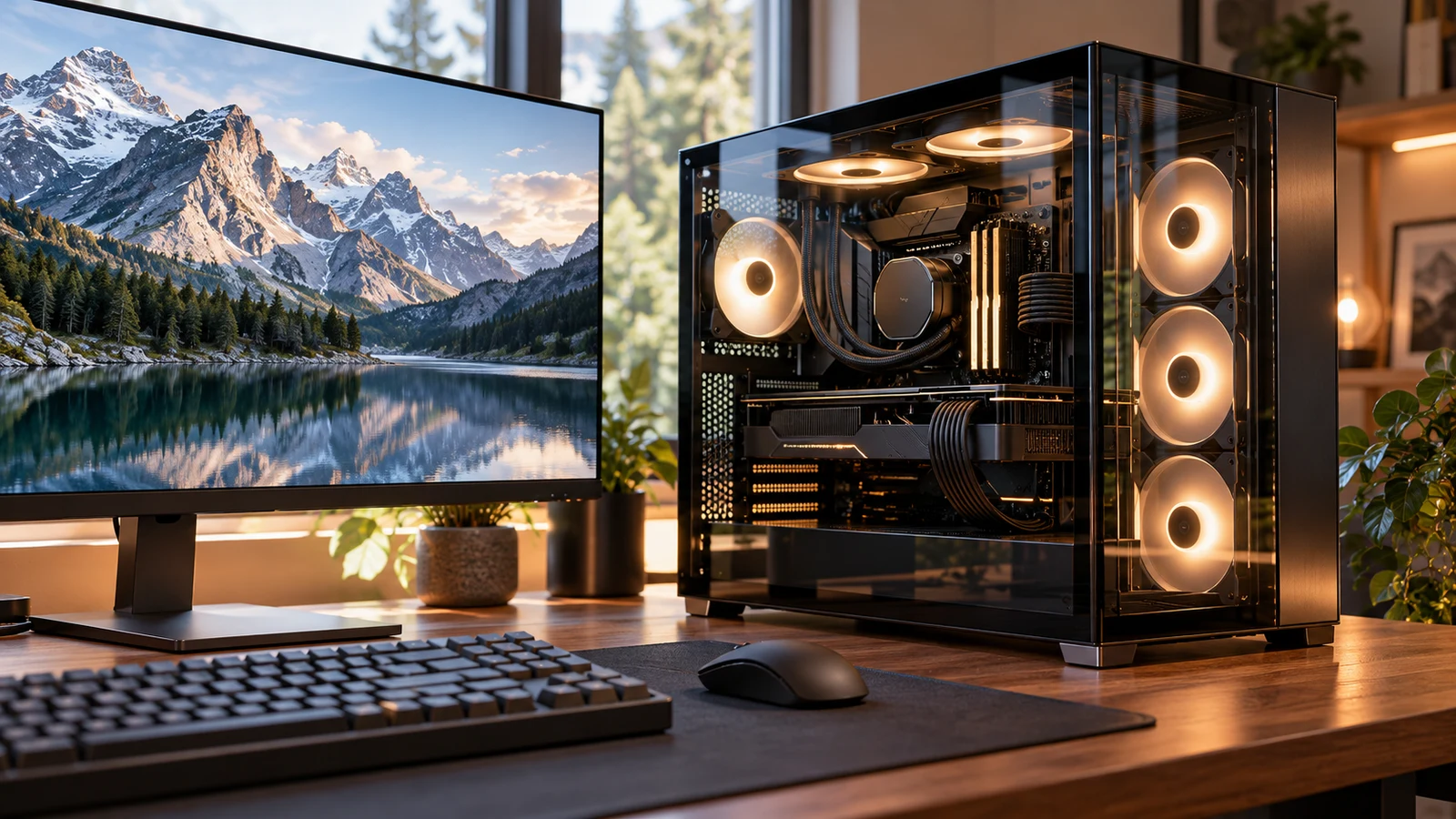
The Skytech O11 Vision desktop deserves consideration for a desk used for creative projects and gaming. Its description specifies a Ryzen 7 7700 processor, Radeon RX 9070 XT graphics with 16GB GDDR6, 32GB DDR5 memory and a 1TB Gen4 NVMe SSD. Those components provide a concrete starting point for assessing mixed work. Whether they fit your day depends on your creative applications, project sizes and gaming expectations; the component list alone cannot establish export times or responsiveness while several jobs are running.
A useful way to evaluate this configuration is to describe the handoff between work and play. Perhaps you want to finish a video, leave its export running and open a game. Perhaps you close every work application before playing. Those are different purchase requirements. Decide which describes you before treating the phrase “content creation and games” as a single performance target.
The configuration discussed here is the Skytech Gaming model described with a Ryzen 7 7700 and a black Lian Li PC-O11 Vision case. The description identifies its condition as new. Keep those details together when reviewing the selected product: a familiar case name does not establish which processor, graphics card or memory configuration accompanies it.
Skytech’s description also says the graphics card brand may vary. The named graphics processor gives you something specific to investigate, but it does not identify the exact card manufacturer. If a particular card design matters to your setup, request that information before ordering. Avoid assuming that every photograph or another O11 Vision configuration represents the unit described here.
Compare Computer Memory And Storage Without Adding Them Together: Plan Your Skytech Workload
Start with a creative project you actually expect to complete. Record the application and version, the kind of source files you use and the output you need. A short video assembled from a few clips gives a more useful purchase brief than “video editing.” For illustration work, describe the document dimensions and typical layer count. These details let you compare the listed configuration with the application’s recommendations without inventing a universal definition of creative performance.
The Skytech description names an AMD Ryzen 7 7700 processor at 3.8GHz, with a stated 5.3GHz Turbo Boost. These are identification and specification details, not measured completion times. If your purchase depends on finishing a particular operation quickly, look for a relevant test of that operation. A game result cannot answer how long your creative application will take to export a project.
The listed Radeon RX 9070 XT has 16GB GDDR6 graphics memory. Before assigning it a creative workload, check whether your application supports that graphics hardware for the feature you intend to use. Preview effects, rendering and export acceleration are separate questions. A program opening successfully would not, by itself, show that every operation receives the acceleration you expected.
Be equally specific about plugins. If a project depends on a particular effect or rendering extension, include that component in your compatibility check. The desktop description does not establish support for every plugin or processing mode. You can make a useful decision with a short list of the features you rely on; you do not need to investigate functions you never use.
The configuration lists 32GB DDR5 6000 system memory and a 1TB Gen4 NVMe M.2 SSD. Keep those entries separate when comparing recommendations. If the capacity labels are confusing, Compare computer memory and storage without adding them together explains that distinction. For this purchase, the practical question is whether each listed capacity fits its corresponding requirement in your work.
For memory, begin with the software combination you normally leave open. An editing application, a browser full of reference material and another creative program should all appear in that description if you use them together. Compare that working session with the applications’ recommendations. The supplied product description does not provide a measured memory-use example for your combination, so avoid treating 32GB as a promise that every project will remain responsive.
For the SSD, make a list of what you want to keep on the computer at the same time. Include active project files and the games you regularly play, then account for applications and working files. Use sizes from your own collection where possible. The advertised 1TB capacity does not tell you the free space available after setup, and this description does not document the space your future projects will need.
A project deadline can make file organization part of the buying decision. Consider a hypothetical week when an unfinished video must stay available while you begin another assignment. Would your planned storage arrangement accommodate both? This question is more useful than deciding whether 1TB sounds large in isolation. Keep any separate backup arrangement in the plan without assuming that the desktop package includes one.
Compare Computer Memory And Storage Without Adding Them Together: Separate Sequential And Overlapping Sessions
If you expect to edit, finish the export and then play, assess those tasks separately. Define an acceptable editing experience and a separate gaming target. This makes the decision easier to interpret: an unresolved question about a demanding export need not become an unsupported claim about game performance, and a game result need not stand in for evidence about creative work.
If you intend to game while an export continues, request evidence for that overlap. Specify the application, export settings and game settings that matter to you. Tests of each task performed alone would leave the combined experience unanswered. You can also decide whether waiting for an export to finish would be an acceptable compromise, especially when simultaneous use is occasional.
The supplied description makes broad claims about Ultra settings, 4K resolution and smooth gameplay across named titles. It does not provide a per-title test configuration or a mixed-workload result. Treat those claims as advertising that needs context before using it to set your expectations. Choose your own target resolution and settings, then seek results that describe the conditions under which they were obtained.
For a useful gaming comparison, record the game version and whether the reported result uses additional rendering features. Match the test as closely as possible to how you intend to play. A performance figure from different settings may still be informative, but it should not quietly become a prediction for your setup. The same care applies when comparing a brief demonstration with a longer session.
The Skytech O11 Vision desktop description lists a 360mm AIO liquid CPU cooler with ARGB fans and an 850W GOLD power supply. Those are documented components. They do not establish measured fan noise, room heat or sustained performance during your particular export. If you record spoken audio at the same desk, a noise measurement under a comparable workload would answer a question that the cooler’s size cannot.
Periphio Computer Alternative: Compare The Work You Need Today
The Periphio computer alternative is the white Warp-5600. Its description identifies an AMD Ryzen 5 5600G processor, Radeon Vega 7 graphics, 16GB RAM and a 1TB M.2 NVMe SSD. The listing calls it an entry-level gaming PC. Compare that supplied configuration against your actual project and game requirements before deciding whether the Skytech configuration is necessary for your use.
The main distinction for this comparison is the graphics configuration supplied at purchase: Skytech lists an RX 9070 XT graphics card, while the Warp-5600 uses the Ryzen 5 5600G’s integrated Radeon Vega 7 graphics. They also list different system memory capacities. These differences deserve attention, but they do not supply a measured performance gap for your applications. Avoid assigning an export-time advantage or a frame-rate margin that the descriptions do not establish.
Consider a buyer whose creative work consists of preparing still images and arranging short clips, with no firm need to keep an export running during a game. That buyer can investigate whether the Periphio configuration meets the chosen applications’ recommendations and the intended game settings. This is a question to resolve with those requirements, not a claim that the smaller configuration will handle every light-sounding task.
A different buyer may already know that a required creative feature calls for a supported discrete graphics card. That requirement gives the Skytech model a specific reason to remain on the shortlist, subject to confirmation that the RX 9070 XT supports the feature. The decision should follow that named requirement. Paying for an advertised gaming configuration does not automatically settle every professional software compatibility question.
Both descriptions list a 1TB NVMe SSD, although Skytech additionally specifies Gen4. Matching advertised capacity does not establish identical drives or identical behavior in creative applications. If storage performance is central to your work, ask for the installed drive model and relevant information about the operation you care about. Otherwise, keep the comparison focused on whether the capacity accommodates your planned working collection.
Compare the machines as supplied for the work you need now. A purchase that depends on later changes introduces another set of component choices and costs. This article’s decision is narrower: which documented starting configuration is appropriate for the creative session and gaming session you have described? Keep optional future plans separate so they do not conceal a shortcoming in the machine you would initially receive.
Before comparing current totals, note any extras your existing setup needs. A compatible display connection or a separate storage arrangement may affect the complete purchase. Do not count an accessory as included unless the relevant description says so. Skytech’s description explicitly includes a gaming keyboard and mouse, but it does not establish that those accessories suit your editing shortcuts, comfort preferences or other daily requirements.
The Skytech description promises one HDMI output and one DisplayPort output, with additional ports potentially varying. For a desk with a creative reference display and a gaming display, map each screen to a documented connection. Confirm the supported resolution and refresh combination for your intended arrangement. The presence of an output name alone does not settle every display mode you might want.
Peripheral connections need similar attention. Skytech lists USB ports including 2.0, 3.0 and 3.2 Gen1, along with HD audio and microphone connections. The supplied description does not give a complete port count or establish every connector shape. If you need an external drive and an audio interface connected together, ask about the exact available connections instead of assuming that a general USB specification covers the arrangement.
Windows 11 and 802.11 AC Wi-Fi are also listed for the Skytech. Check your required application versions and peripheral drivers against the operating system. For the physical workstation, obtain the complete case dimensions and installation guidance before choosing a location. The description names the case but does not provide the measurements needed to decide whether it fits a particular shelf or desk opening.
Once the configuration fits, review the current purchase terms separately. Check the selected product and total, along with the delivery and service terms that apply to the order. If choosing cryptocurrency payment, follow the currency and network options actually presented at checkout and read any fee or expiry information there. A computer’s hardware description does not establish payment instructions or the conditions of a return.
Choose the Skytech O11 Vision desktop when its documented configuration matches your creative requirements and you have resolved the gaming and connection questions that matter to your desk. Before ordering, write down the exact application feature or overlapping task that justifies the choice. If you cannot identify one, compare the Periphio configuration against your same requirements before committing. Keep any unanswered performance question attached to a specific task so the seller can respond with something useful.