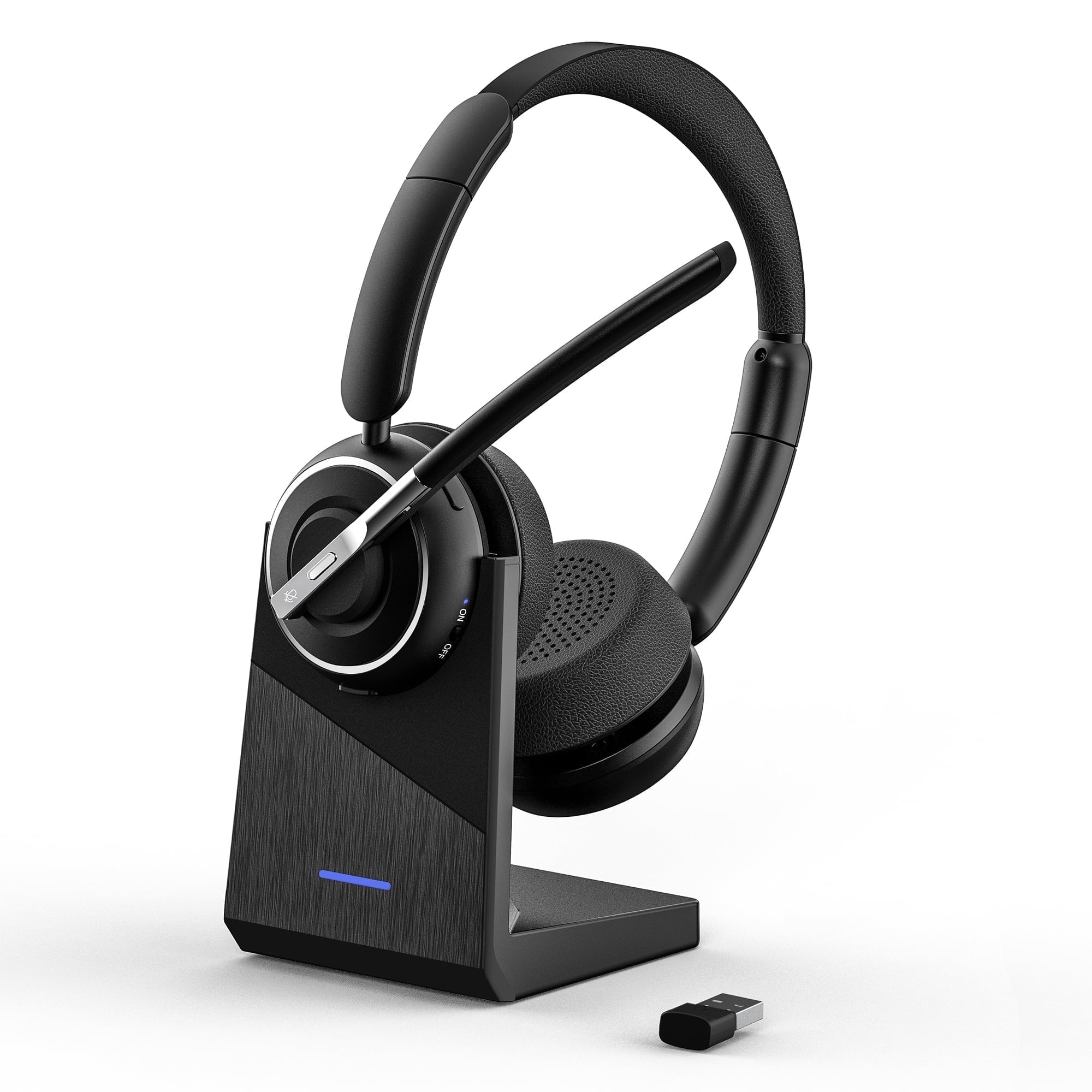
Swiifome KH120M Bluetooth Headset V5.2 — AI Noise-Cancelling On-Ear with Charging Base & USB Bluetooth Adapter — 35H Talk Time, 33ft/10m Range
Comfortable, easy controls: The Swiifome KH120M on-ear Bluetooth headset is built for long wear with soft leather ear cushions and an ergonomic design. Physical controls (MFB, mute and separate volume up/down buttons) let you answer calls, change volume and access key functions quickly. Note: the MFB and mute actions for answering/hanging up and muting apply to mobile phone calls only; to mute or manage calls in Skype, Zoom, Teams or other PC apps you must configure the function in the calling software. Clear voice in noisy places: An AI-powered noise cancellation microphone and advanced low-frequency noise reduction suppress background distraction so callers hear you clearly — ideal for remote work, call centers and busy home offices. Stable connections with included adapter: The headset uses Bluetooth version 5.2 for efficient, low-latency wireless audio and supports movement up to 33ft/10m from the connected device. For the most stable connection and no transmission delay when using a PC, use the supplied USB Bluetooth adapter (note: the adapter will only pair with the KH120M Bluetooth headset). PC setup and troubleshooting tips: If you use the KH120M with the USB port adapter, make sure the port’s indicator light is solid blue to confirm pairing. If pairing fails, try resetting the headset (see the manual) or plugging the adapter into a different USB port. Windows audio settings (example): After pairing, right-click the Speakers icon > Open Sound settings and set [KH120M port] as both Output and Input devices. If you still have no sound, open Sound > Recording and Playback and set [KH120M port] as the default device and ensure it is enabled. If the microphone is not detected, allow apps to access the microphone: Start > Settings > Privacy > Microphone > Change > turn on Allow apps to access your microphone. Also enable "Allow desktop apps to access your microphone" so non-Microsoft Store applications can use it. App-specific example (Skype): Open Skype > Settings > Audio & Video and select [KH120M port] for both Microphone and Speakers. If you connect the headset directly via Bluetooth instead of the USB adapter, follow the same device-selection and permission steps. Key specifications: - Bluetooth version: 5.2 - Talking Time: 35 Hours - Charging Time: 2 Hours - Wireless range: up to 33ft/10m Package contents: 1 x Bluetooth Headphones KH120M 1 x Type-C Charging Cable 1 x User Manual 1 x Charging BaseYou may also like Swiifome Bluetooth Headset V5.4 — Hybrid ANC & ENC, QCC USB-A Dongle (Qualcomm), Flip-to-Mute Mic, 35h Talk / 50h Music, 33ft Range.
Shipping & Returns
Shipping & Returns