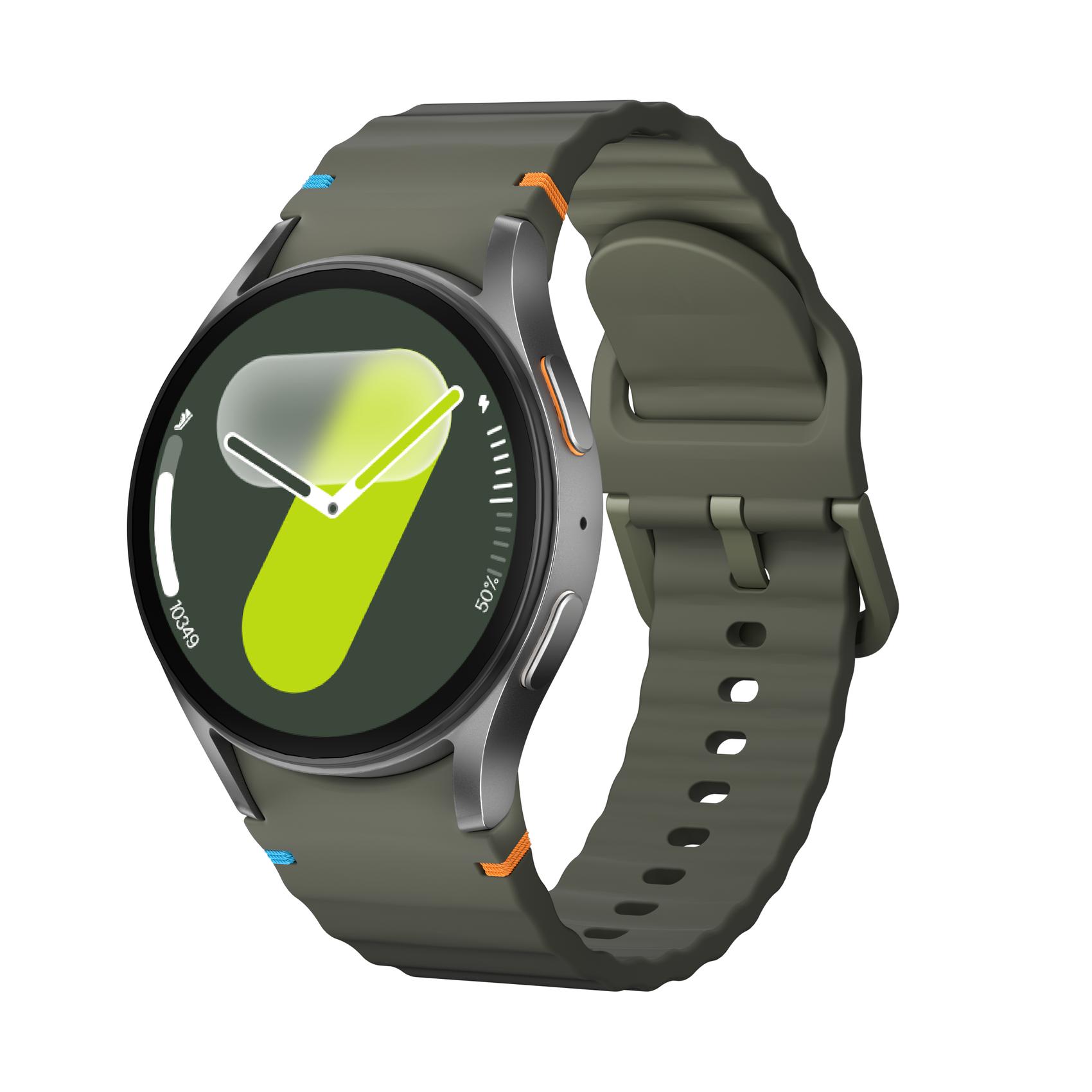
Hylandon Smart Watch For Women and Men IP67 Waterproof SOS Function OTA Exercise Record Bluetooth Call
Smart connectivity solutions: • Bluetooth 5.0 for call/SMS/app alerts • Camera remote/music control/find phone • Custom health reminders & Alipay offline payments 200+ free watch faces with DIY editor. Walmart IoT-certified for smart home control. Voice memos sync via built-in mic. Advanced power management: • 10-12 days regular use • 30-day standby in power save mode • 10-minute charge for 24-hour use UL-certified 280mAh battery. Customizable power profiles extend GPS to 10hr. Qi-compatible charging. Modular fashion tech: • 38g aerospace-grade aluminum body • Interchangeable silicone/nylon/metal straps • 6 color options with weekly new themes MIL-STD-810G certified. Includes screen protector and spare buckle. Photo face designer in app meets Walmart accessory bundle policy. Step 1: How do I connect my watch to my phone? Download the watch APP on your smartphone (scan the manual on the package or QR code to download FitCloudPro or add it to the APP store), turn on the Bluetooth of your phone, enter the APP, click the device, find the device with the watch model name, and click the corresponding watch model name to end the connection. (Note: When installing "FitCloudPro" for the first time, the system will prompt you whether to enable the phone's GPS, Bluetooth, camera, message notification and other permissions, click "Allow" to ensure that all functions are normal) Step 2: How do I call my watch over a wireless Bluetooth connection? Slide the home page of the watch out of the screen, click the wireless call button between the watch and the mobile phone, open the "Settings" of the mobile phone, enter the "Wireless Bluetooth" interface, find the corresponding watch model, and click Connect. (The specific equipment should be operated in accordance with the instructions of the corresponding model) If you have any questions, please contact usYou may also like Smart Watch For Men Women(Answer/Make Calls), 2024 Newest 1.85" HD Fitness Tracker Monitor, 100+ Sport Modes, Compatible With Android And For Iphone, AI Voice Assistant, Message Alert.
Shipping & Returns
Shipping & Returns