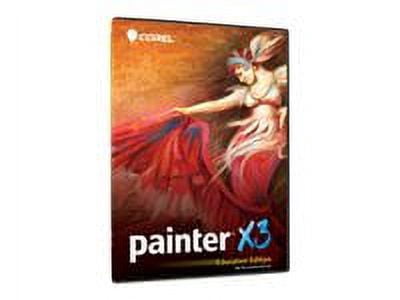
Corel Painter X3 Education Edition ESD License — 1 User (Academic) Download — Win, Mac — English
Overview: Corel Painter X3 Education Edition delivers a comprehensive painting and photo-painting toolkit designed for students and educators. It streamlines brush discovery, simulates traditional media, and speeds up complex workflows while remaining fully compatible with Mac and Windows systems. Brush discovery and previews: Use the built-in brush search engine to find brushes by name or properties, with visual previews to confirm your choice. The stroke preview shows exactly how a brush will render on your canvas and updates in real time as you change parameters like mixing, erasing, blending and jitter, eliminating the need for test canvases. Brush editing and control: The Advanced Brush Controls and brush optimizer expose the primary parameters of any brush for fast tuning, and you can perform deeper edits and preview the results immediately. Agile brush control gives instant access to settings such as size, opacity, squeeze and angle via shortcuts and interactive controls, with scalable resizing to preserve correct brush proportions. Jitter and expression: Use pre-built Jitter brushes to introduce random, organic variations that mimic real-world media, and further customize them to suit your style. The Jitter expression feature lets you add randomness to brush attributes including Opacity, Grain, Size, Angle and more, adding natural-looking variation to strokes. Perspective and reference tools: Draw precisely using one-, two- or three-point perspective guides. Select vanishing points, set guide lines and have strokes snap to the perspective grid; save presets, change line colors and add extra guidelines. Work with reference images directly on-screen by dropping an image into the Painter interface and sampling colors instantly without interrupting your workflow. Learning and inspiration: Join the Meet the Artist Paint Jam sessions for live online talks with professional artists. These monthly sessions cover topics from artistic process to finding inspiration and share real-world insights from experienced creators. Cloning and layer transformations: The cloning workflow lets you view your project image and cloning crosshairs on a source image at the same time, lightly edit source images and automatically save clone source data to your file. You can also select and transform multiple layers at once to speed up multi-layer edits and avoid cycling through individual layers. Color tools: Create color set libraries and use mixers in new ways. Choose the maximum number of colors to add to a set from an image, layer, selection or mixer pad, and experiment with inspirational mixers for alternative color workflows. Performance and memory: Painter X3 uses memory optimization to improve speed and responsiveness. Macs with 64-bit systems automatically access all available memory while running Painter, and PCs with large amounts of RAM benefit from software speed enhancements to handle memory-intensive tasks. Brush sharing and variant management: Share brushes quickly by email, online posting or USB. The recipient can double-click the file to launch Painter X3 and automatically import a brush, category or brush library. Move or copy brush variants between categories simply by dragging a variant within the brush selector. Updated brush variant handling and category creation give more design flexibility and reduce steps when saving variants. RealBristle and media simulation: RealBristle technology reproduces traditional art materials with remarkable authenticity. Work with oils, watercolors, chalks, markers, pencils and more, and control color intensity and shading by adjusting pen angle and pressure on your tablet. Flow maps and wet media: Flow maps let you control how paint behaves on your canvas for Real Watercolor and Real Wet Oil brushes. Customize flow map textures and brushes to direct paint flow and achieve unique wet-media effects. Photo-painting and SmartStroke: Convert photos into hand-painted art or use the Auto-Painting palette to have Painter render a photo automatically. Painter’s SmartStroke brush technology follows contours and lines in an image to produce brushwork that behaves like a real artist’s strokes. Surfaces and textures: Apply and customize surface textures for your canvas or choose from paper textures to add tactile detail and depth that other paint programs cannot match. Personalization: Save your preferred touch behavior for each brush with Brush Tracking so Painter remembers speed and pressure sensitivity settings. Use the temporal color palette to call up and pick colors quickly without cluttering your workspace; the palette remains only as long as you need it. Create persistent custom palettes for recurring projects and workflows. Workspaces and compatibility: Build, import, save and delete custom Workspaces to tailor Painter features and tools to how you work, then share them as needed. Built-in Adobe Photoshop compatibility preserves colors and layers when moving files between Photoshop and Painter, and you can use third-party Photoshop plug-ins on both Mac and PC. Hardware integration: Painter X3 offers full support for the entire Wacom line, including Cintiq interactive pen displays and Intuos pen tablets. Wacom multi-touch support enables navigation of the Painter interface using simple finger taps on supported tablets. Corel Cinco app: Work more efficiently with Corel Cinco for Painter, an app that maps frequently used buttons to a Wi-Fi-enabled iPad so you can paint with one hand while cycling through customizable buttons and palettes with the other, all without looking away from your work.You may also like Corel PaintShop Pro v.X5 Ultimate.
Shipping & Returns
Shipping & Returns