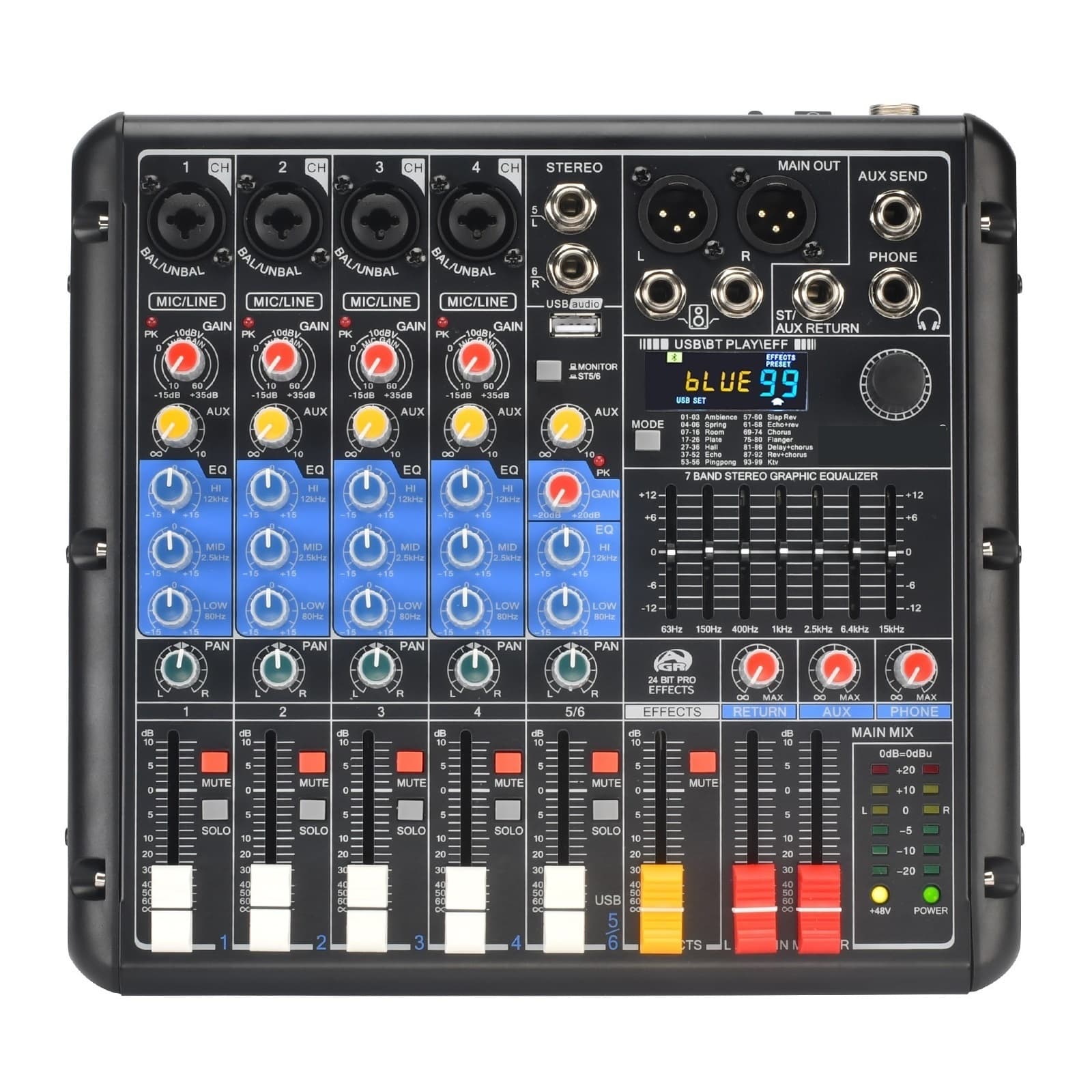
6 Channel Audio Mixer 99 DSP Effect 5.0 7 Band EQ Mute Solo Mixing Console USB PC Record Play For Party
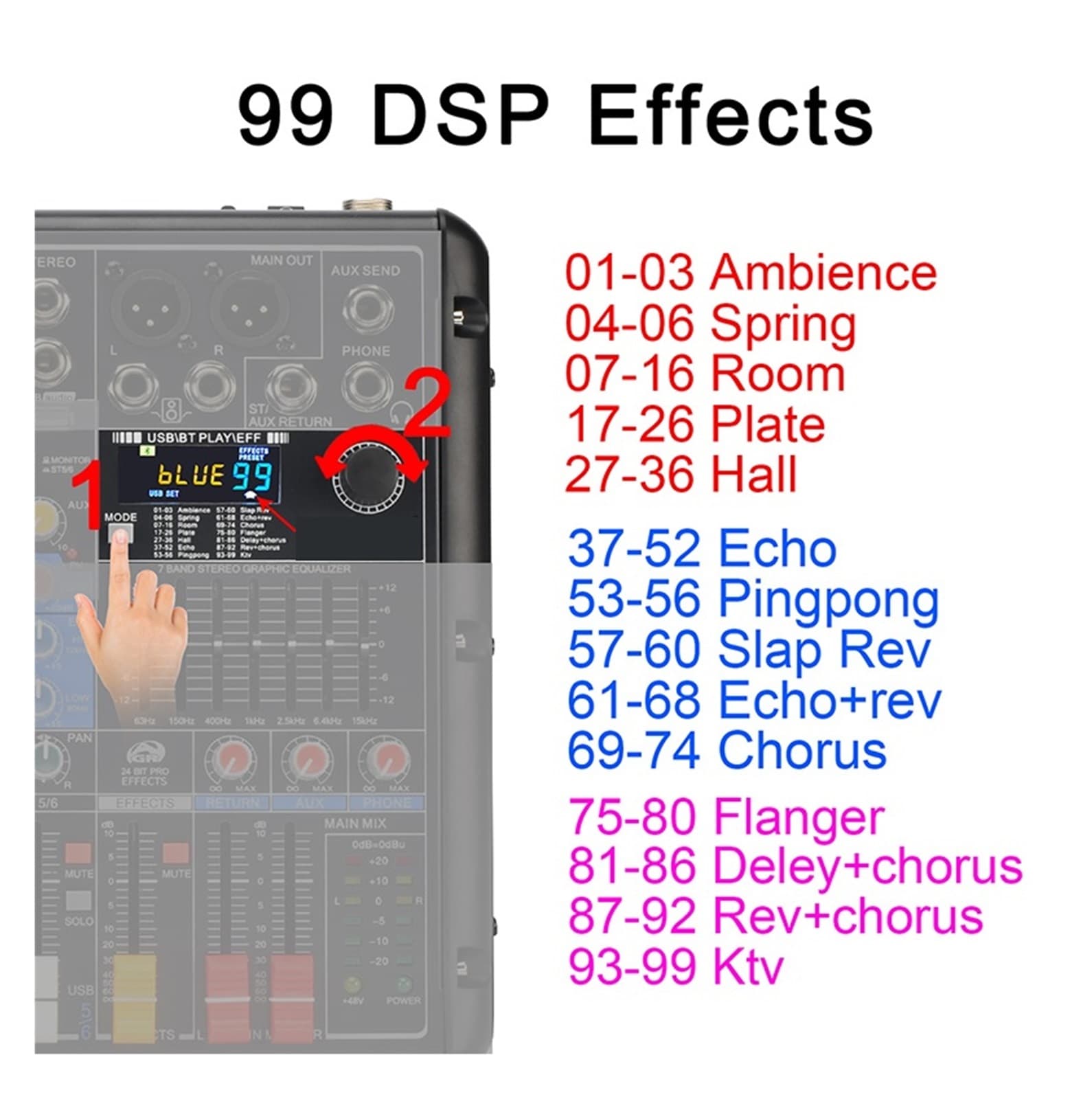
6 Channel Audio Mixer 99 DSP Effect 5.0 7 Band EQ Mute Solo Mixing Console USB PC Record Play for Party 1. Selling Point (1) PC record and play (2) 6 channels (4 Mono + 1 Stereo) (3) Channel mute function (4) 5.0 function (5) 7 band stereo graphic equalizer (6) +48V phantom power (7) USB play, play format: FLAC, MP3, WAV, WMA (8) USB record, record format:MP3 (9) 24 Bit 99 DSP effects (10) 50mm volume fader 2. Power Supply Audio mixer must be OFF before you connect to mains. Otherwise, it may burn the equipment. 3. +48V Phantom Power (1) Turn on "+48V" switch, LED light is on, +48V phantom power works (2) +48V phantom power is only for XLR socket, not for 6.3 socket Dynamic Microphone when you connect dynamic microphone to audio mixer with XLR cable, please do not power on +48V phantom power Condenser Microphone If your microphone is +48V condenser microphone, please connect it to mixer via XLR cable, and power on +48V phantom power. Please note: For this model, it does not support non-48V condenser microphone. (such as 3.5mm condenser computer microphone) 4. 5.0 -Compatibility Volume adjust: 1) Press down MONITOR/ST5-6 button 2) Push USB/ST5-6 volume fader, adjust the channel volume to main out 3) Adjust main out output 5. USB Function (1) Protective film on the display: There is a protective film on the display to prevent the display from being scratched. If the protective film is not clear, you can tear off the protective film. (2) USB port is not for USB microphone, you can't connect USB microphone to audio mixer. (3) USB format:FAT32 A) USB port can't recognize NTFS U-Disk B) There is at least one song in the FAT32 U-Disk (4) USB play: A) Play format:MP3, FLAC, WAV, WMA B) Insert U-Disk into USB port, U-Disk will play automatically C) Volume adjust (same as volume control) (5) USB record: A) Insert a FAT32 U-Disk, and there is at least one song in the U-Disk B) Record format:MP3 C) Record operation: (a) Short press "MODE" button to switch to USB mode (b) Rotate "PROGRAM" knob to REC and then short press "PROGRAM" knob to confirm your selection, start recording (c) Long press "PROGRAM" to exit the recording and start playing the latest recording file (d) When recording, you can short press "PROGRAM" to pause(continue) record. D) Record volume adjust: Same as volume control 6. 24 Bit 99 DSP Effects (1) Choose effects A) Short press "MODE" button to switch to EFF mode B) Rotate "PROGRAM" knob to the number of the effect you want, then the selected effect will be determined automatically (2) Output the effect A) Rotate the AUX knob of channel. B) Push master EFFECTS fader. Please note: The volume of FX and AUX is controlled by the AUX knob (3) Mute function of EFFECTS fader If you do not need the effects of all channels, you can press down the "MUTE" button, there will be no effects output to speaker(headphone). 7. PAN Stereo Recording: (1) Rotate the "PAN" knob of channel 1 to the leftmost. (2) Rotate the "PAN" knob of channel 2 to the rightmost. 8. MONITOR/ST5-6 (1) When the button is bounced up: You can only monitor the signal of MP3 module via headphone.(the signal of USB direct to headphone, it can't reach the main output) (2) When the button is pressed down: A) main out will output the signal of MP3 module (U-disk/Bluetooth/PC signal) B) USB signal will go to headphone and 5/6 channel (Main output) 9. PC Record and Play 10.Individual "SOLO" Function 11. Individual "MUTE" Function 12. 7-Band EQ 13. PAN Knob 14. Gain Knob 15. AUX SEND & AUX RETURN 16 Headphone volume adjust
Shipping & Returns
Shipping & Returns