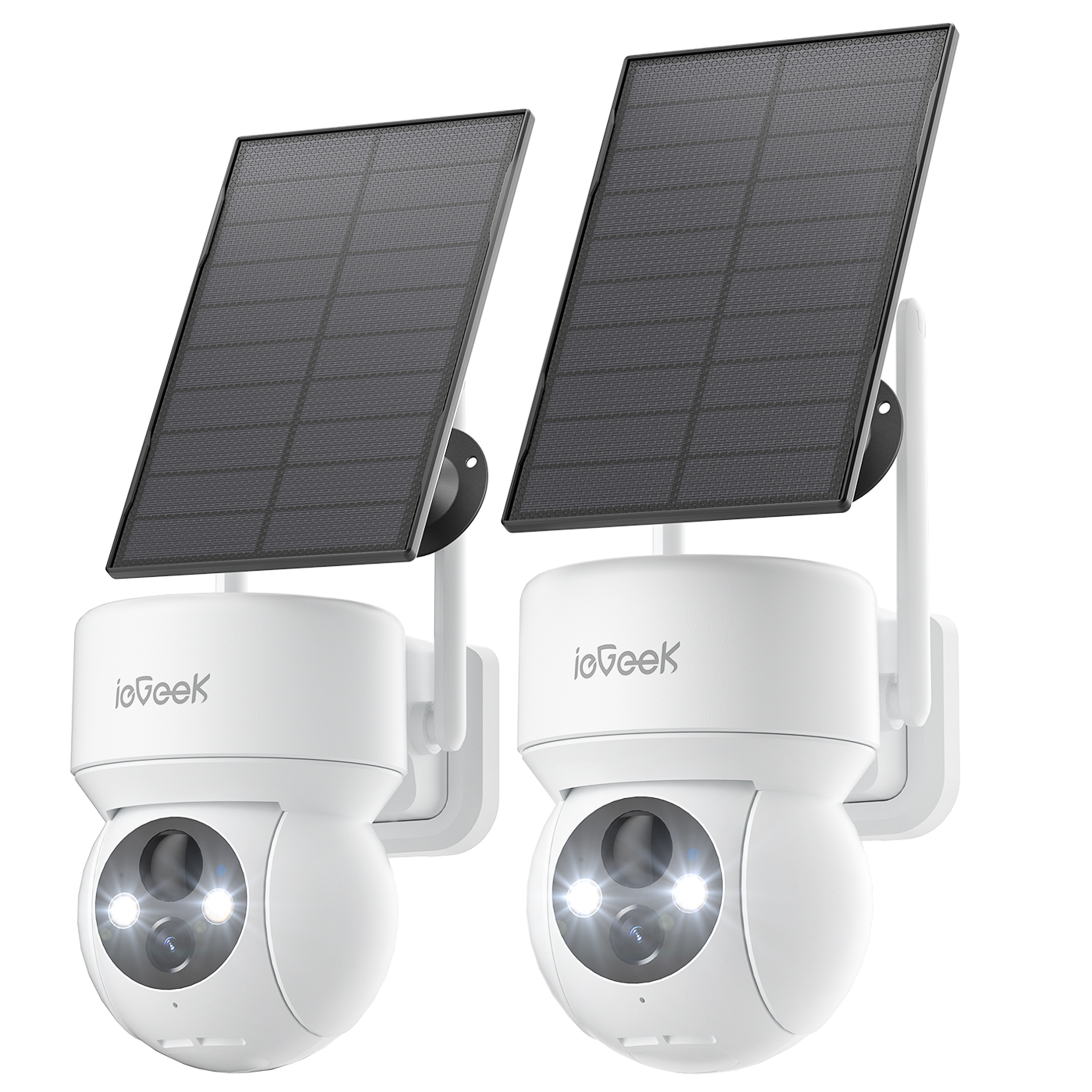
ieGeek 2-Pack Solar PTZ 360° WiFi Outdoor Security Camera — 2K/3MP Color Night Vision, Spotlight & Siren, Wireless
Overview: Reliable outdoor monitoring with pan/tilt mobility and solar power. This 2-pack of ieGeek wireless security cameras delivers 360° surveillance coverage, color night vision, and configurable alarms for complete yard protection. Key features — Motion & Alerts - PIR Detection - PIR Distance: 4-13 meters - Sensitivity of PIR Detection: 1-10 levels - Detection Notification: 2s - Alarm options: Siren / Spotlight / Spotlight Siren - Intelligent Recognition: Human (free), Pets/Cars/Packages (paid) Imaging & movement - Resolution of Image: 2K 3MP(2304*1296) - Lens: 3.6mm - Viewing Zoom: 4X Digital Zoom - Pan & Tilt: 355° & 120° - Best Night Vision: within 100ft Connectivity, storage & compatibility - Wireless: 2.4G WIFI (IEEE802.11b/g/n) - Security: Advanced 256-bit AES Encryption - Cloud Storage: 6s & 7 days loop coverage (free) - SD Card Storage: up to 128GB (not included in package) - Shared Family: Support. Multi-Device: 4 Solar security cameras can be seen at one time. iOS/Android Smartphones, Smartwatches, Tablets: Support Power - Power Capacity: 5200mA Rechargeable Battery, Powered by Solar Package contents - 2 x Solar Security Camera Wireless WiFi Outdoor - 2 x Solar Panel - 2 x Installation Accessories - 2 x User Manual Common questions & troubleshooting - Why does the camera battery drain quickly? The battery will deplete faster the more frequently the camera is woken. Lower the motion sensitivity and install the camera where it has a stable outdoor network to reduce wake-ups. - Why does the camera connect to Wi‑Fi then drop out? This typically indicates a weak network. Place the camera where the Wi‑Fi signal is strong ( > 75% ). Use the app’s “Installation Guide” to run a network diagnostic and confirm the location is suitable. - I’m not receiving alerts after installing the app. Make sure push notifications are allowed for the app. You’ll be prompted on first login, or enable Notifications for the app from your phone’s system settings. - How do I link the camera to my Wi‑Fi? Verify the camera is powered on and that the working status light is slowly flickering red. Install the latest app version, select your wireless network, then hold the app’s QR code 15-20cm from the camera lens. After the camera beeps it will connect. - Why does motion detection only capture the rear view? PIR triggers the camera and starts capturing screenshots almost instantly. Increase the motion sensitivity and point the solar camera toward open areas to widen the effective detection zone.
Shipping & Returns
Shipping & Returns